THE PLUGIN
WordPress media.
Cloud storage.
WP-Stateless connects your Media Library to Google Cloud Storage. Use it on your existing WordPress hosting, with storage and access under your control.
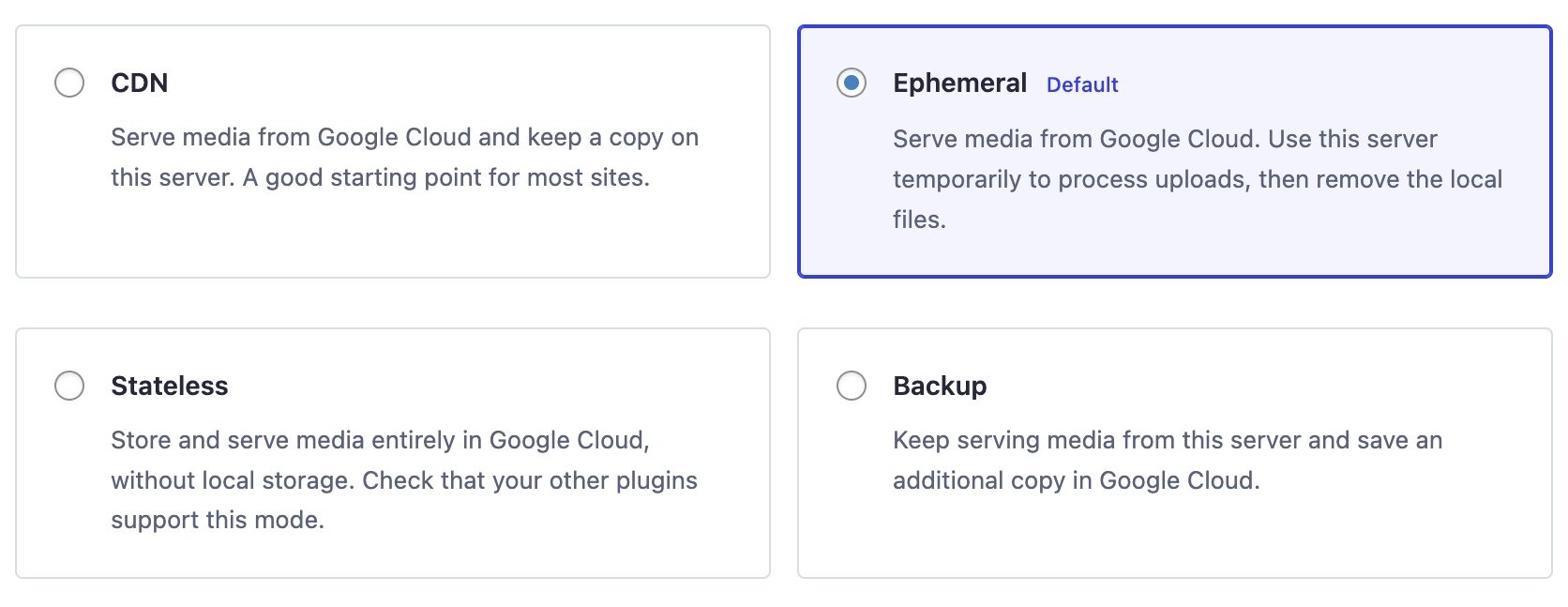
Sign in with Google, choose storage, and verify one upload. The guide covers automatic return and pairing codes.
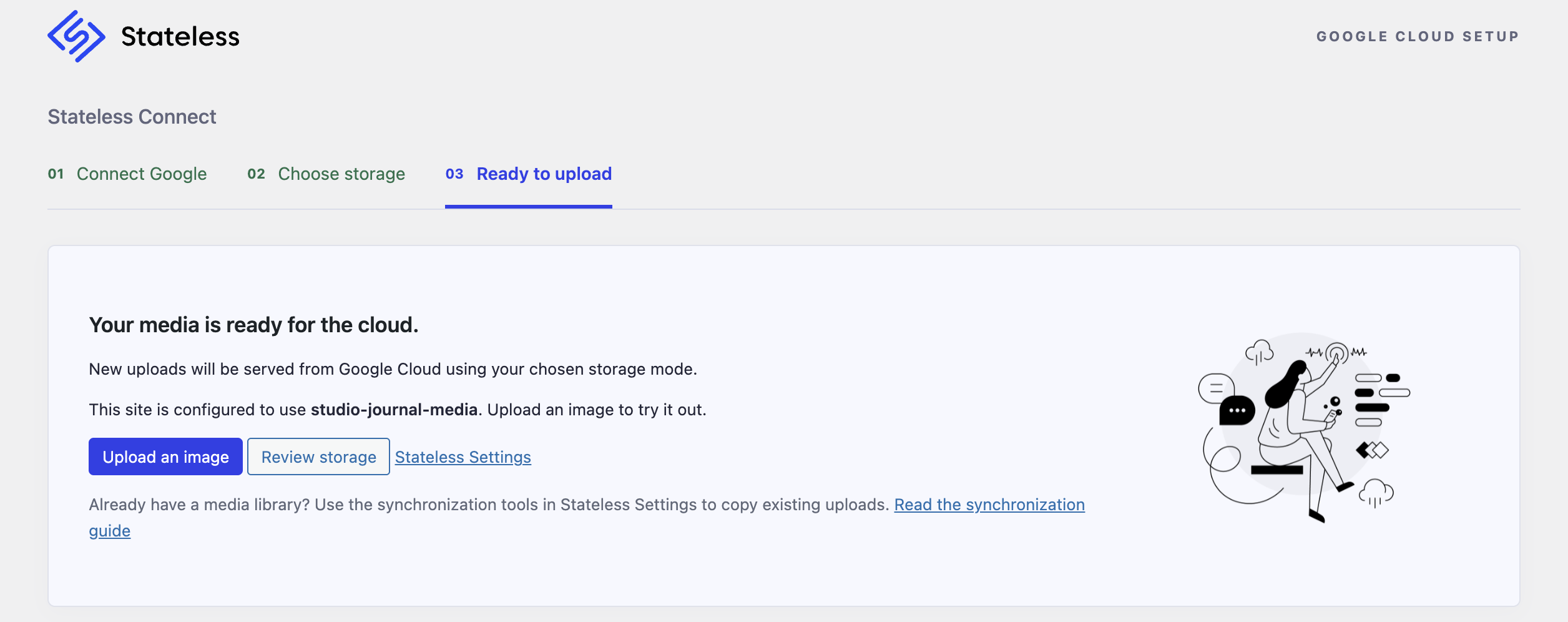
Choose how files move.
CDN
Serve media from Google Cloud and retain files on your WordPress server. A useful starting point when other plugins need local files.
Ephemeral
Process uploads on your server, upload them to Google Cloud, then remove the local copies. The wizard’s default.
Stateless
Store and serve media in Google Cloud without retaining local uploads. Check compatibility with your themes and plugins.
Backup
Continue serving media from WordPress and save an additional copy in Google Cloud. This does not back up your database or entire website.
More than new uploads.
Existing libraries
Synchronize older attachments and regenerate cloud thumbnails. Start with a small sample.
Read guide →Multisite
Configure a network connection or a separate connection for an individual site. Review the scope before saving.
Read guide →Plugin integrations
Use the addon directory to check compatibility with page builders, stores, forms, and image tools.
Read guide →Built for stateless WordPress
Four operating modes
Backup keeps a copy, CDN serves from the bucket, Ephemeral removes the local file after upload, Stateless never touches disk. Pick by platform, not by taste; the table above says which one where.
Custom media domain
Mask the default storage.googleapis.com URL with your own domain. The bucket name and domain must match and the bucket needs a CNAME.
File URL replacement
Rewrites hardcoded local media URLs to their Google Cloud Storage equivalents in post content and post meta at render time. The database is not modified.
Sync tools
Sync from the dashboard or with wp stateless sync from the command line, in batches with a start and end row, which is how a library of a few hundred thousand files gets moved without a browser tab left open. Addon files sync the same way.
Batch thumbnail regeneration
Regenerate image sizes in bulk and push them to the bucket.
Constants and network overrides
Every setting can be pinned with a wp-config constant or a multisite network setting, which makes the plugin configuration read-only in the dashboard.
Bucket folder wildcards
Organise objects in the bucket with %date_year/date_month%, %site_id%, %site_url%, %site_url_host% and %site_url_path%.
Cache-busting and Cache-Control
Optional random filename prefix to avoid stale caches, and a configurable Cache-Control header applied to every uploaded object.
Leave when you want
The bucket, the project and the custom domain are yours. Change hosts and the images stay where they are; change your mind and gcloud copies them back to the server.
Serverless ready
Google App Engine is detected and the plugin switches to Stateless mode on its own. Cloud Run and GKE run Ephemeral with a scratch directory.
Multisite
Network settings, per-site bucket folders and a network-only option to hide the settings panel.
Addons and built-in compatibilities
Fifteen separately installed addons plus seven built-in compatibility modules keep page builders, forms, commerce, community and image optimiser plugins working with media in the bucket.
Storage behavior, in detail
The detailed mode reference from the original plugin page is retained here. Check addon support against your installed versions.
Disabled
Turns WP-Stateless off. Media stays on the server and no filters are registered.
Serves from: Local disk
Pausing the plugin without uninstalling it.
Backup
Every upload is copied to the bucket. The site keeps serving the local files and nothing about your URLs changes.
Serves from: Local disk; a copy of every file lands in the bucket
One server, and you want an off-site copy of the library before a migration or as a safety net. Switch to CDN later without uploading again.
CDN
Uploads go to the bucket and are served from it. A full local copy stays on disk.
Serves from: Google Cloud Storage
One server that should serve media from Google's network and keep the local files as a fallback.
Ephemeral
Uploads go to the bucket and are served from it. The local file is removed once it is uploaded; a temporary directory is still used for thumbnails and PDF previews.
Serves from: Google Cloud Storage
Containers, autoscaling groups, any host that can replace a server at any time. The default, and every addon supports it. Cache busting is on so a replaced file never serves stale from a cache.
Stateless
Nothing is written to local disk. Media is read and written through a gs:// stream wrapper.
Serves from: Google Cloud Storage through a gs:// stream wrapper
Read-only filesystems and App Engine, where it turns on by itself. GD only, cache busting on, and BuddyPress, Easy Digital Downloads, EWWW, Imagify, ShortPixel and WPBakery do not support it. If in doubt, use Ephemeral.
Everything is a constant
Every setting can be pinned in wp-config.php, which is how a stateless container gets its storage without a database setting or a setup assistant.
define( 'WP_STATELESS_MEDIA_MODE', 'stateless' );
define( 'WP_STATELESS_MEDIA_BUCKET', 'my-site-media' );
define( 'WP_STATELESS_MEDIA_ROOT_DIR', '%date_year/date_month%' );
define( 'WP_STATELESS_MEDIA_JSON_KEY', getenv( 'GCS_SERVICE_ACCOUNT_JSON' ) );
define( 'WP_STATELESS_MEDIA_CUSTOM_DOMAIN', 'media.example.com' );
define( 'WP_STATELESS_MEDIA_CACHE_CONTROL', 'public, max-age=36000, must-revalidate' );
Constants override the settings panel and the network settings. Keep the service account key in the environment, not in the repo.
For a custom HTTPS media domain, configure a delivery endpoint and certificate as well as DNS; a CNAME alone does not provide HTTPS.
Configuration reference
Full constant descriptions and defaults from the original plugin page. These describe that release; consult your installed version before pinning a value.
| Constant | Behavior | Default |
|---|---|---|
WP_ | Operating mode: disabled, backup, cdn, ephemeral or stateless. | ephemeral |
WP_ | File URL Replacement. Scans post content and meta during presentation and replaces local media URLs with GCS URLs: editor, meta or true (both). Scanning meta can be slow on large sites. | false |
WP_ | Space separated file extensions that File URL Replacement rewrites. | jpg jpeg png gif pdf |
WP_ | Name of the Google Cloud Storage bucket. | Not set |
WP_ | Bucket folder the files are uploaded into. Accepts the wildcards %date_year/date_month%, %site_id%, %site_url%, %site_url_host% and %site_url_path%. | /%date_year/date_month%/ on a single site, /sites/%site_id%/%date_year/date_month%/ on multisite |
WP_ | Service account private key as a JSON string. | Not set |
WP_ | Path to the service account JSON key file instead of inline JSON. Absolute, or relative to the WordPress root, wp-content, the uploads directory or the plugin directory. The GOOGLE_APPLICATION_CREDENTIALS environment variable is honoured the same way. | Not set |
WP_ | Cache-Control header set on every uploaded object. Since 4.1.3 it applies to all files, not only images. | public, max-age=36000, must-revalidate |
WP_ | Delete the object in the bucket when the attachment is deleted in WordPress. | true |
WP_ | Serve files from your own domain instead of storage.googleapis.com. Needs a CNAME and the bucket name must equal the domain name. | Not set |
WP_ | Prepend a random string to file names so re-uploads with the same name do not hit stale caches. Forced on in Ephemeral and Stateless modes. Replaces the deprecated WP_STATELESS_MEDIA_HASH_FILENAME. | false |
WP_ | Upload image sizes generated on the fly by themes and plugins that do not register them with the media library. Can hurt performance. Replaces the deprecated WP_STATELESS_MEDIA_ON_FLY. Not available on Google App Engine. | false |
WP_ | Read GCS file data from postmeta instead of the custom WP-Stateless tables introduced in 4.0.0. Enable only if the upgrade caused problems. | false |
WP_ | REST API Endpoint used by sync and data optimisation: WP_HOME or WP_SITEURL. Switch to WP_SITEURL when the dashboard and the front end use different domains, for example a headless setup. | WP_ |
WP_ | Hide the Stateless Settings page from site admins. Network-level option. | false |
WP_ | Hide the setup assistant. The assistant itself was removed in 4.2.0; the constant is still read. | false |
WP_ | Enable Chrome Logger output. | Not set |
WP_ | Upload files to the bucket in chunks of this many bytes. Useful on memory-limited servers that hit allocated memory exhausted errors. | Not set |
WP_ | Maximum number of items in one background sync batch row. | 50 |
WP_ | Path of a log file for background sync output. Without it the default error_log handler is used. | Not set |
WP_ | Minutes between cron health checks of a background sync process. | 1 |
WP_ | Minutes between health checks of a batch process such as data optimisation. Minimum 5. | 5 |
WP_ | Resolve attachment IDs from old URLs after the bucket folder was changed. The first run can be slow. | Not set |
WP_ | Skip per-object ACL writes for buckets with uniform bucket-level access, which rejects ACLs. | false |
WP_ | Google App Engine detection. When GAE is detected the plugin forces Stateless mode; set this to false to opt out. | true |
WP_ | Enable the built-in EWWW Image Optimizer compatibility. Not supported in Stateless mode. | false |
WP_ | Enable the built-in Imagify compatibility. Not supported in Stateless mode. | false |
WP_ | Enable the built-in ShortPixel compatibility. Not supported in Stateless mode. | false |
WP_ | With the ShortPixel compatibility on, object URLs are rewritten to the {bucket}.storage.googleapis.com form so ShortPixel does not count every request against one domain. Set to true to keep the storage.googleapis.com/{bucket} form. | false |
WP_ | Enable the built-in WP Smush compatibility. | false |
WP_ | Enable the built-in WPBakery Page Builder compatibility (Single Image element). Not supported in Stateless mode. | false |
WP_ | Enable the built-in The Events Calendar compatibility. | false |
WP_ | Enable the built-in LearnDash LMS compatibility. | false |
Addons and built-in compatibilities
The original plugin page’s full integration reference. Version-specific behavior can change; each integration guide retains its compatibility notes.
Elementor Website Builder
Syncs the CSS files Elementor generates with Google Cloud Storage. Replaced the built-in Elementor compatibility in 4.0.0.
Addon source →Gravity Forms
Syncs files uploaded through Gravity Forms with the bucket and skips cache busting for the Gravity Forms export.
Addon source →Gravity Forms Signature
Syncs signature images created by the Gravity Forms Signature add-on with the bucket.
Addon source →WPForms
Disables filename randomisation for the WPForms builder in the admin panel. Works with WPForms and WPForms Lite. Replaced the built-in compatibility in 4.1.2.
Addon source →WooCommerce
Skips cache busting for WooCommerce export templates.
Addon source →Easy Digital Downloads
Adds the forced direct download method for files in the bucket and keeps image cropping working in Stateless mode. Replaced the built-in compatibility in 4.1.2.
Addon source →WooCommerce Extra Product Options
Syncs customer uploaded files from WooCommerce Extra Product Options with the bucket. Replaced the built-in compatibility in 4.4.1.
Addon source →LiteSpeed Cache
Syncs images optimised by LiteSpeed Cache, bypasses its local file checks for bucket objects and adds webp support. Replaced the built-in compatibility in 4.1.2.
Addon source →Divi Theme
Stops filename randomisation during Divi exports and skips cache busting for the page builder.
Addon source →SiteOrigin CSS
Syncs the stylesheet files generated by SiteOrigin CSS with the bucket.
Addon source →SiteOrigin Widgets Bundle
Syncs the widget CSS generated by SiteOrigin Widgets Bundle with the bucket. Replaced the built-in compatibility in 4.1.2.
Addon source →BuddyPress
Applies WP-Stateless to member avatars, group avatars and attachments uploaded through BuddyPress. Replaced the built-in compatibility in 4.1.2.
Addon source →BuddyBoss Platform
Skips cache busting for BuddyBoss Platform assets. Replaced the built-in compatibility in 4.0.0.
Addon source →Polylang Pro
Syncs translated media with the bucket. Detects Polylang Pro. Replaced the built-in compatibility in 4.1.3.
Addon source →Simple Local Avatars
Redirects avatar images to the bucket in CDN, Ephemeral and Stateless modes. Replaced the built-in compatibility in 4.3.0.
Addon source →EWWW Image Optimizer
Limited support for EWWW Image Optimizer in CDN mode; optimised images are synced to the bucket. Not supported in Stateless mode.
Compatibility guides →Imagify Image Optimizer
Auto-optimise on upload, bulk optimiser, resize larger images and all optimisation levels. Not supported in Stateless mode.
Compatibility guides →ShortPixel Image Optimizer
Optimised images are synced to the bucket; ShortPixel works from the bucket URL. Not supported in Stateless mode.
Compatibility guides →WP Smush
Delays the bucket sync until Smush (free or Pro) has optimised the image.
Compatibility guides →WPBakery Page Builder
Support for the Single Image element. Not supported in Stateless mode.
Compatibility guides →The Events Calendar
Skips cache busting for the plugin's internal template assets.
Compatibility guides →LearnDash LMS
Prevents filename randomisation on LearnDash pages.
Compatibility guides →Frequently asked
Which mode should I use?
One server and you want a copy: Backup. One server and you want to serve from Google: CDN. More than one container, or a host that replaces servers: Ephemeral, which is the default. Read-only filesystem or App Engine: Stateless. Ephemeral is the right answer for most container platforms because every addon supports it and it still has a scratch directory for thumbnails.
I have a large library. Will the sync finish?
Run it from the command line for anything bigger than a few thousand files. wp stateless sync images goes attachment by attachment in batches, prints each file as it lands and takes --start, --end and --limit, so a run that was interrupted picks up at the row where it stopped. It is not incremental: a full re-run touches every file again, so note the row. The dashboard sync is fine for small libraries. Count on roughly ten objects per image, since every thumbnail size is its own file.
Do I need a service account key?
Yes. The plugin authenticates with a service account JSON key; Workload Identity is not supported yet. Give the account Storage Admin on the bucket only, keep the key out of the repository and hand it to WordPress through the WP_STATELESS_MEDIA_JSON_KEY constant from an environment variable or a secret manager. The setup assistant that used to create the bucket and key was removed in 4.2.0; creating them in the console takes about ten minutes and the setup guide walks through it.
My bucket uses uniform bucket-level access. Will it work?
Yes. Set WP_STATELESS_SKIP_ACL_SET to true so the plugin stops writing per-object ACLs, which uniform buckets reject, and make the bucket readable with an IAM binding instead of object ACLs.
What does it cost?
The plugin and every addon are free and GPL, with no tiers by file count or site count. Google bills your own project for storage and egress at list price: about two cents per GB a month for Standard storage and about twelve cents per GB served in the first terabyte in North America. Put Cloud CDN or any CDN in front and most of the egress comes from the cache instead. Check the Google Cloud price list for your region.
Can I move back, or to another host?
The bucket is yours and stays where it is. A new host points at the same bucket and nothing moves. To leave the bucket, switch to Backup or Disabled and copy it into wp-content/uploads with gcloud storage cp. Content written before the plugin was active keeps its local URLs, because the plugin rewrites them at render time rather than in the database; content written while serving from the bucket links to the bucket and needs a search and replace.
A plugin I use writes files outside the media library. What happens?
WordPress only tells WP-Stateless about the media library. Page builder CSS, form uploads, exports and optimiser output are written straight to disk by the plugin that makes them. Fifteen addons cover the common ones; the list is on this page. Anything else keeps working as long as the directory it writes to exists and is writable, which is why Ephemeral keeps a scratch directory and Stateless does not.
Do the addons cost anything?
No. Every addon is a free plugin on wordpress.org, GPL like the core plugin. Since 4.0.0 they are separate installs so the core stays small and each one ships on its own schedule. The Addons tab detects the plugins you run and points at the matching addon. EWWW, Imagify, ShortPixel, WP Smush, WPBakery, The Events Calendar and LearnDash are still built in.
Will it make my site faster?
Not by itself. Pages are still rendered by PHP on your server. What changes: the origin stops serving images, there is no large uploads folder to back up or sync, and you can add servers because none of them owns the files. Delivery gets faster when a CDN sits in front of the bucket, with a custom domain so the URLs stay yours.
Does it work with multisite?
Yes. Settings and constants apply network-wide, the default bucket folder is /sites/%site_id%/, and the settings panel can be hidden from site admins.
What are the requirements?
PHP 8.1 or higher with OpenSSL, and WordPress 5.0 or higher. Version 4.4.0 raised the floor from PHP 8.0 to 8.1; stay on 4.3.x if you cannot move yet.
Where do I report a bug, and who answers?
Issues on github.com/udx/wp-stateless. Include the mode, the plugin version and whether the bucket uses uniform access. UDX in Durham, North Carolina maintains the plugin, reviews pull requests and ships the releases.
Requirements and release context
Original plugin reference version: 4.4.3. PHP: 8.1 or higher. WordPress: 5.0 or higher, tested up to 6.9.
- OpenSSL enabled in PHP
- A Google Cloud project with billing, a Cloud Storage bucket and a service account key with the Storage Admin role
- Stateless mode uses the GD image editor only; the plugin removes Imagick from the editor list in that mode
- Multisite is supported, with network-level settings that override site settings
Original six-step manual setup overview
This overview describes the earlier release. For the new automatic flow, start with Stateless Connect. Cloud trial terms may change.
- Create a Google Cloud billing account and project
Every project needs a billing account. New Google Cloud accounts get a $300 credit. Create the project you want this site to live in.
- Create a Cloud Storage bucket
Pick a globally unique name, a location and a storage class. Turn off public access prevention so visitors can read objects, and choose fine-grained access control. Uniform access works too but needs WP_STATELESS_SKIP_ACL_SET set to true.
- Create a service account and key
In IAM and Admin, create a service account named wp-stateless, give it the Storage Admin role on the bucket and download a JSON key.
- Install and activate WP-Stateless
Install it from the Plugins screen in your WordPress dashboard. The setup assistant was removed in 4.2.0, so configuration is done on the settings page.
- Configure Mode, Bucket and Service Account JSON
Go to Media, Stateless Settings. Choose a mode, enter the bucket name, paste the contents of the JSON key, and save. Any of these can be pinned with a wp-config constant instead.
- Upload a test file
Upload an image in the Media Library. In CDN, Ephemeral or Stateless mode its URL should point at storage.googleapis.com and the object, with its image sizes, should appear in the bucket.
YOUR SITE. YOUR BUCKET. YOUR MEDIA.
Keep WordPress.
Move your media forward.
Free, open-source plugin. Google Cloud usage is billed separately.