WP-STATELESS / GUIDES
Understand your settings.
Know which settings change storage, media URLs, deletion behavior, and compatibility.
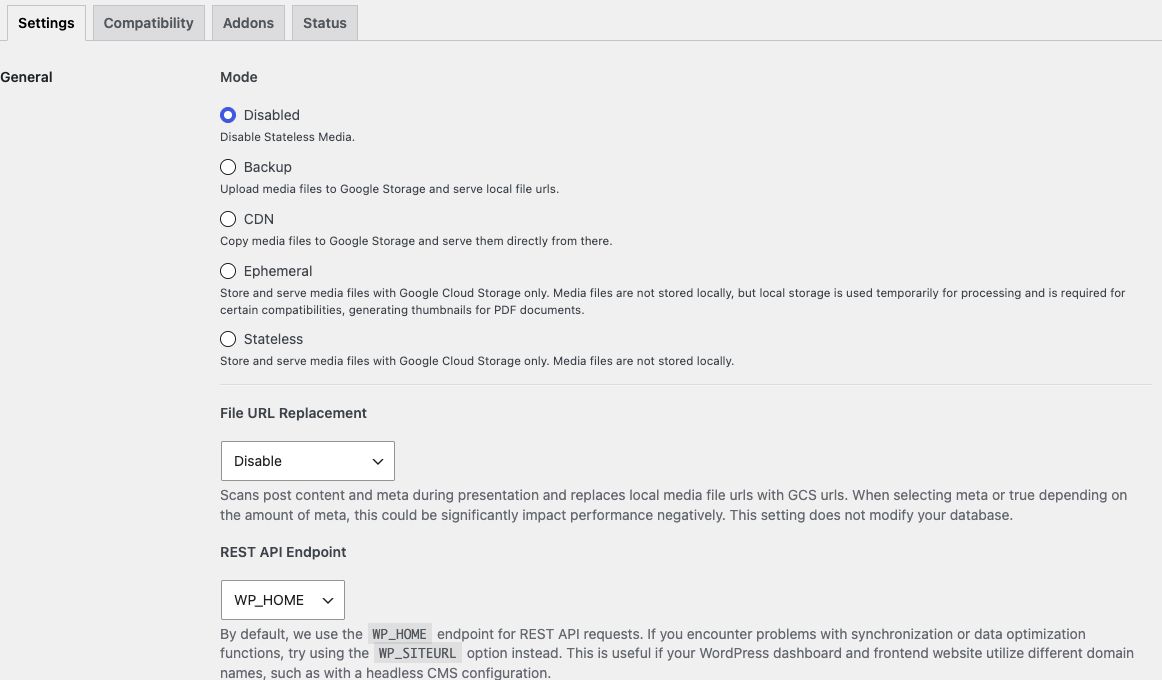
Storage and delivery
Mode determines whether files remain local and where visitors load media. Compare the four modes visually.
Bucket identifies your Cloud Storage destination. Stateless Connect configures it for you. Manual setups also supply a service-account JSON key; keep this credential private.
Cache-Control controls caching metadata on cloud objects. Choose a policy that fits how you replace and invalidate media.
Delete GCS File controls remote deletion when media is permanently removed from WordPress. Understand your bucket retention, versioning, and soft-delete policies before changing it.
URLs and compatibility
File URL Replacement can replace local media URLs in rendered content. It is not a bulk database rewrite.
Custom domain and file naming settings affect media URLs. Validate DNS, HTTPS, and caching before relying on a custom media hostname.
REST API Endpoint is relevant when background operations cannot reach WordPress, including installations with different site and home addresses. Check the deployment before changing it.
Review the Compatibility and Addons tabs for the plugins on your site. Available options depend on the installed release.
Deployment overrides
Network settings and wp-config constants can override site-level fields. If a value is locked or differs between sites, inspect those layers before editing credentials.
Configuration constants → · Multisite guide →